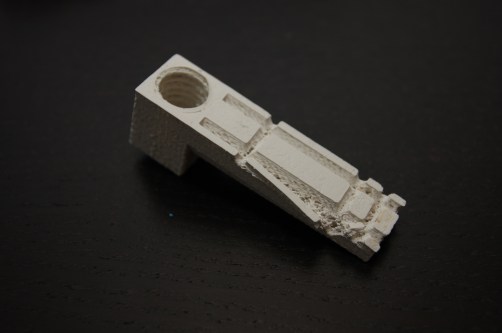
Da Vinci Extruder Power Connector Fail

The small quick release connector for the extruder heater recently failed. This was discovered half way through a print when the extruder stopped heating.

New Da Vinci heater connection

Initial thoughts were that there was a software bug due to the extruder failing to extrude filament after 12 hours of continuous operation. However, some fiddling with connections revealed that the plug and socket connection was the culprit.

Replacing the stock connector with something more robust is straightforward but the process is a little fiddly.

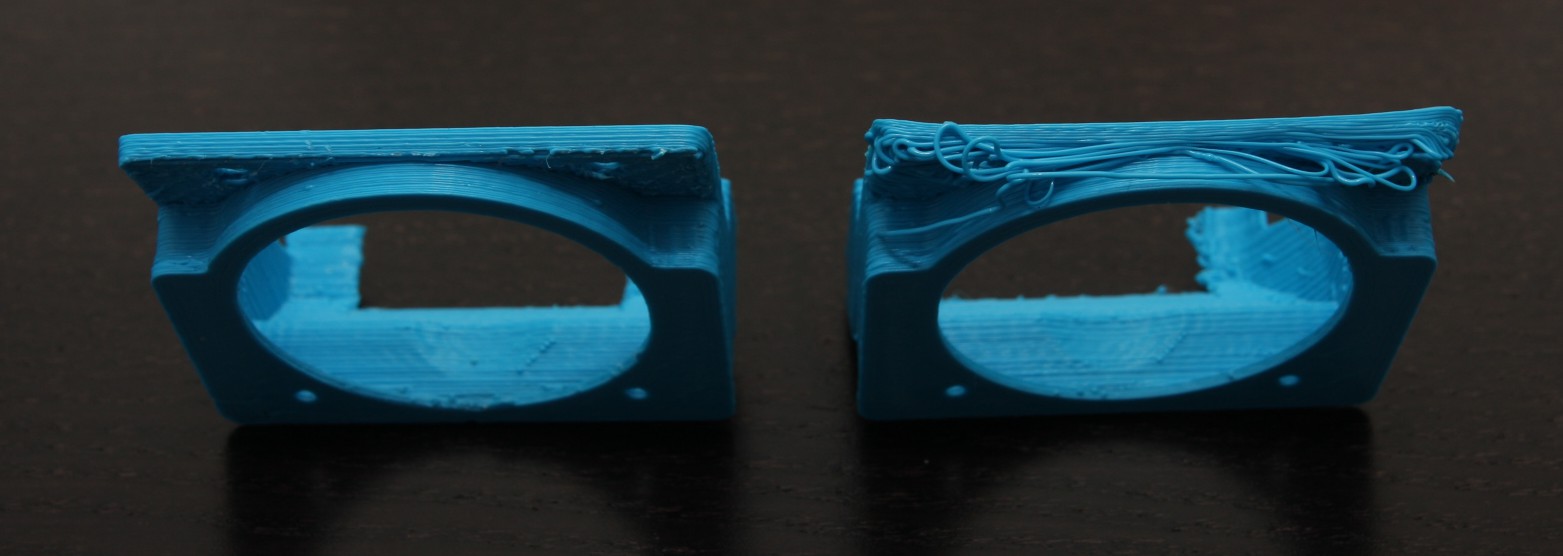
3D Printing – Rafts

If printing a model that has multiple small pads or islands contacting the print bed, there is a high risk that these will catch the print head and tear off. Once this happens, the print is difficult to recover and you need to being again. No amount of glue seemed to help the latest attempt from tearing the pads from the print bed.

IMG_3136

To solve this problem, a raft  was used to support the model and finally there was some success.


3D Printing – Da Vinci 1.0 Performance

3D printing allows you to make rapid prototypes or final creations. However, as you’ll soon learn, what you model up is not exactly how your print will turn out. A good example is when printing holes in your project. Due to a variety of factors, the actual printed hole diameter will be different to your 3D model. Printing a standard on your 3D printer will allow you to understand what your machine can actually do.

First in the beginning of several articles, we examine how printed holes will be different and how you can compensate for the difference.

3D printed drill gauge

Changing HTU21D Temperature and Humidity Resolution

By default the HTU21D sets the temperature and humidity sensor resolutions are set at their highest. These default values are, humidity = 12bit and temperature = 14bit. This is all well and good for most situations when you are trying to get the best performance from your device. However, a higher resolution comes at the expense of increased measuring time. Consequently, a longer measuring time will increase the current consumption too.

To demonstrate, I’ve tabulated the maximum measuring times for the different sensor resolution modes from the HTU21D_datasheet.

Resolution Humidity Temperature
14bit NA 50ms
13bit NA 25ms
12bit 16ms 13ms
11bit 8ms 7ms
10bit 5ms NA
08bit 3ms NA

Continue reading

Dew Point Calculation with HTU21D Humidity Sensor

Having both temperature and humidity sensor capabilities in a single package makes the HTU21D an ideal sensor for a home weather station. As such, if you’re a person who is interested in knowing the current weather conditions, you’ll probably want to know what the Dew Point is too. But before we can get carried away, we need to learn how to use an additional library.

Dew Point calculated with HTU21D sensor

Continue reading

HTU21D Temperature and Humidity Sensor Tutorial Part 2

If you’ve missed out on part 1 of this tutorial, you can catch up here.

If you closely read the HTU21D_datasheet, you’ll realise that the humidity data that you read directly from the HTU21D sensor does not meet the device’s guaranteed humidity accuracy of +-3%. Additionally, the sensor is only optimised to perform in the range of 5-95%RH, the rated accuracy of +-3% only applies between 20-80%RH.

This excerpt from the datasheet shows the device’s range of performance.

HTU21D_Temperature_Compensation

Continue reading